Evaluating the Procreate Paper Brush for Digital Artists
The transition from traditional media to digital illustration often hinges on one critical factor: texture. While vector-based tools offer clean lines and perfect geometry, they frequently lack the organic resistance and tactile feedback that define sketching on physical paper. This is where the Procreate Paper Brush becomes a significant asset in a creator's toolkit. Specifically designed to mimic the grain of drawing surfaces, this brush set addresses the sterile feel of many default digital tools. For professionals and hobbyists alike who value the authenticity of traditional mark-making, understanding the mechanics and application of these brushes is essential for elevating digital artwork.
The Core Mechanics of Digital Texture Simulation
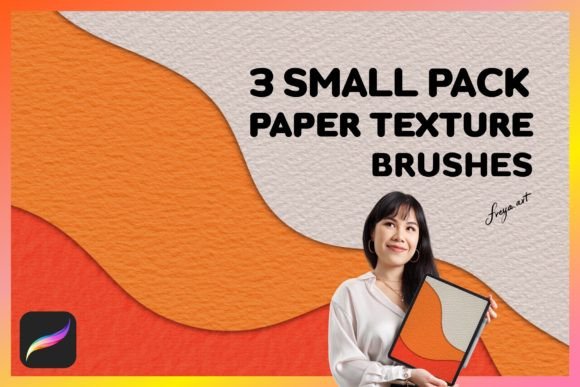
At its heart, the Procreate Paper Brush is not merely a shape; it is a complex algorithmic interaction between the stylus input and a high-resolution texture map. Unlike standard airbrushes that rely solely on opacity flow, paper texture brushes introduce irregularity into every stroke. The specific set comprising three distinct paper textures, along with a bonus texture, offers a range of surface characteristics from fine tooth to rougher, more absorbent grains.
The effectiveness of these brushes relies heavily on the hardware interface. They are engineered specifically for the Procreate app on iPad and utilize the pressure sensitivity of the Apple Pencil. When an artist applies light pressure, the brush engine reveals less of the underlying texture, simulating a delicate graphite touch. Conversely, increased pressure forces the pigment deeper into the simulated grain, creating darker, more saturated marks. This dynamic response is what separates a convincing digital sketch from a flat, computer-generated image. Without the pressure data provided by the Apple Pencil, the nuanced layering required for realistic shading collapses into uniform strokes.
Key Characteristics of the Three-Brush Set
The inclusion of three distinct paper textures within the set provides versatility that a single brush cannot match. Each brush in the collection targets a different artistic need:
- Fine Grain Texture: Ideal for detailed line work and precise rendering. This brush mimics smooth Bristol board or high-quality sketch paper, allowing for controlled hatching without excessive noise.
- Medium Tooth Texture: Designed for general sketching and tonal work. It replicates the feel of standard mixed-media paper, offering a balance between smoothness and grit that works well for charcoal or colored pencil simulations.
- Rough Surface Texture: Best suited for expressive, loose sketches or backgrounds. This brush introduces significant irregularity, breaking up solid colors to create depth and atmosphere quickly.
The additional bonus paper texture serves as a wildcard, often providing a unique grain pattern that can be used for blending or adding subtle surface noise to finished pieces. Together, these tools allow an artist to switch between mediums without changing their workflow, maintaining the integrity of a single canvas while exploring different material properties.
Real-World Performance and Workflow Integration
In practical application, the Procreate Paper Brush shines during the initial concept phase and the texturing stages of a project. Professionals such as illustrators, concept artists, and educators find that these brushes accelerate the ideation process. The ability to lay down quick, textured notes that resemble traditional thumbnails encourages a looser, more experimental approach to design.
For freelancers and small business owners creating marketing assets, the organic nature of these brushes adds a human element to commercial graphics. In an era where AI-generated content often looks overly polished and synthetic, hand-drawn textures created with the Procreate Paper Brush provide a distinct brand voice. They signal craftsmanship and attention to detail, qualities that resonate with audiences seeking authenticity.
However, the performance of these brushes is contingent on proper settings. Users must adjust the "Grain" and "Flow" sliders within the Procreate brush studio to match their specific style. A common mistake among new users is applying too much opacity immediately, which can result in muddy strokes that obscure the texture. Mastery involves building up layers gradually, allowing the digital grain to interact naturally with each pass of the Apple Pencil.
Compatibility and Technical Limitations
A crucial consideration for potential buyers is the platform limitation. These brushes are compiled specifically for the Procreate environment on iPadOS. They do not function in other software ecosystems like Adobe Photoshop, Clip Studio Paint, or desktop applications. The file structure and rendering engine required to interpret the texture maps and pressure curves are proprietary to Procreate.
This exclusivity means that while the brushes offer immense value within their intended ecosystem, they are not a universal solution for multi-platform studios. Teams that require assets to be shared across different operating systems or software suites will need to find alternative methods for achieving similar textures. Furthermore, the instant download nature of the product requires a stable internet connection at the time of purchase to transfer the .brushset files directly to the device.
Assessing Value for Different User Profiles
The utility of the Procreate Paper Brush varies significantly depending on the user's experience level and professional goals. For serious hobbyists aged 20 to 50, these brushes lower the barrier to entry for creating professional-looking sketches. They eliminate the need to physically scan traditional drawings, streamlining the digitization process while retaining the aesthetic of analog art.
Entrepreneurs and marketers utilizing digital illustrations for social media or packaging will find the long-term value in consistency. Once a preferred texture is selected from the set, it can be applied uniformly across a campaign, ensuring visual cohesion. The reliability of the brush engine ensures that the texture does not degrade over time or change unexpectedly, a common issue with some free, community-made brushes.
Educators also benefit from these tools when teaching digital art fundamentals. By using brushes that closely mimic traditional materials, instructors can bridge the gap between physical and digital techniques, helping students understand concepts like pressure control and grain interaction in a familiar context.
Practical Recommendations for Implementation
To maximize the effectiveness of the Procreate Paper Brush set, users should integrate them into a layered workflow. Start with the medium tooth texture for rough blocking and composition. Refine details using the fine grain brush, and apply the rough texture sparingly for atmospheric effects or background elements. Avoid relying on a single brush for an entire piece, as mixing textures prevents the artwork from looking repetitive or artificial.
Additionally, users should experiment with the blend modes available in Procreate. Applying a paper texture brush in "Multiply" or "Overlay" mode over a base color layer can create complex lighting effects that are difficult to achieve with standard fill tools. This technique enhances the perceived depth of the illustration, making the digital output feel tangible.
Conclusion on Utility and Suitability
The Procreate Paper Brush and its accompanying set of three textures represent a focused solution for artists seeking to infuse digital work with traditional character. Their strength lies in their responsiveness to pressure input and their ability to simulate the unpredictable nature of physical paper. While limited to the iPad ecosystem, their performance within that environment is robust and reliable.
For creators who prioritize texture, authenticity, and workflow efficiency, these brushes offer a practical upgrade over default tools. They are particularly well-suited for illustrators, designers, and educators who need to produce high-quality, organic visuals quickly. By understanding the specific strengths of each texture and respecting the technical requirements of the Apple Pencil and Procreate app, users can unlock a versatile range of artistic possibilities that enhance both the speed and quality of their digital output.