Procreate Realistic Watercolor Brush Set
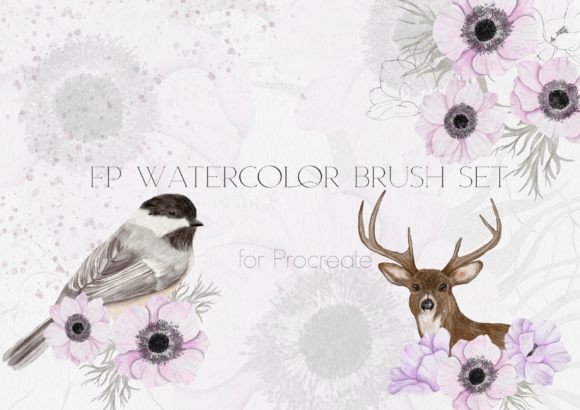
Digital art often struggles to capture the organic unpredictability of traditional media. The Procreate Realistic Watercolor Brush Set bridges that gap, offering a curated collection designed to mimic the fluid dynamics, pigment settling, and texture of real watercolor painting on an iPad. This toolset is not just about adding color; it is about replicating the behavior of water and pigment interacting with paper fibers. Whether you are sketching a quick concept or rendering a final illustration, this collection provides the tactile feedback necessary for authentic digital expression.
What Is Inside the Collection?
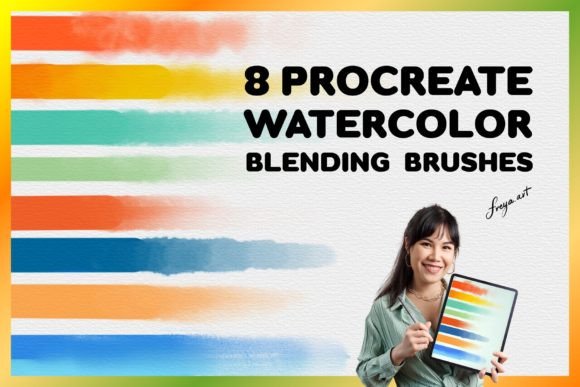
This specific kit is engineered to provide a complete workflow for watercolor enthusiasts. It moves beyond simple brushes to include textures and tools that simulate the entire painting process. The set contains:
- Six realistic watercolor brushes: Ranging from fine liners to broad washes, these simulate different bristle stiffnesses and water flow rates.
- Two watercolor stamps: Useful for creating consistent patterns or textured backgrounds without manual repetition.
- One watercolor splatter brush: Adds dynamic, chaotic energy to pieces, mimicking the accidental beauty of flicked paint.
- One sketching brush: Designed for initial layouts with a dry, graphite-like feel before wetting in colors.
- One blender brush: Essential for smoothing gradients and mixing pigments directly on the canvas.
- One watercolor paper texture: A high-resolution background layer that interacts with the brushes to create grain and absorption effects.
Together, these elements allow artists to achieve depth and dimension that standard flat brushes cannot replicate.
Technical Requirements and Setup
To utilize this Realistic watercolor brush set for Procreate, you must have the proper hardware and software environment. The brushes are exclusive to the Procreate app and require an iPad paired with an Apple Pencil for pressure sensitivity and tilt recognition. Before installation, ensure your device is running the current version of iOS and that Procreate is updated to its latest version. Compatibility issues often arise when older versions of the app attempt to load complex brush engines found in modern sets.
How to Install Your Brushes
The installation process is straightforward but requires following a specific sequence to ensure all assets load correctly:
- Download the provided PDF file first. Inside this document, you will find a direct link to the compressed zip file containing the brushes.
- Download and unzip the file on your iPad. You should see two distinct items: a
.brushsetfile and a texture paper image. - Tap the
.brushsetfile. This action triggers a prompt asking if you want to import the brushes into Procreate. Select "Import" to add them to your library. - To use the paper texture, simply tap the image file. It will automatically open in the Procreate gallery as a new canvas ready for painting.
Once imported, the brushes appear in your Procreate brush library under their own category, ready for immediate use.
Why Different Audiences Value This Tool
The value of a digital brush set shifts depending on who is using it. For a hobbyist, the priority might be ease of use and the joy of creation. For a professional, it could be about speed, commercial viability, and consistency. Understanding these nuances helps determine if this set fits your specific goals.
For Beginners and Hobbyists
New users often feel intimidated by the blank canvas. The Procreate Realistic Watercolor Brush Set lowers the barrier to entry by providing pre-configured settings that handle complex interactions like wet-on-wet blending. Beginners benefit from the included sketching brush, which allows them to outline ideas confidently before applying color. The blender brush acts as a safety net, helping to correct harsh edges and smooth out mistakes, making the learning curve less steep. For hobbyists, the primary goal is often relaxation and creative exploration; the realistic textures provide a satisfying sensory experience that feels closer to holding a physical brush.
For Professionals and Freelancers
Professionals prioritize efficiency and output quality. In a commercial setting, time is money. These brushes offer a streamlined workflow where the artist can achieve a finished look without spending hours manually painting texture or grain. The ability to switch quickly between the six specialized brushes allows for rapid iteration during client revisions. Furthermore, the high-quality texture paper ensures that the final export looks premium, suitable for print or high-resolution web display. For freelancers selling digital assets or illustrations, having a unique, realistic style can differentiate their portfolio from competitors relying on default app brushes.
For Educators and Content Creators
Educators need tools that demonstrate technique clearly. The transparency and control offered by this set make it ideal for teaching color theory, layering, and water manipulation. When creating tutorials or blog content, the visual fidelity of the splatter and stamp tools adds production value to videos and articles. Bloggers and marketers can use these brushes to create custom graphics that stand out against generic stock imagery, enhancing engagement on social media platforms. The reliability of the set ensures that what is taught or shown remains consistent across different devices.
For Small Business Owners and Entrepreneurs
Entrepreneurs often wear many hats, including graphic design. For those running small businesses, the cost-effectiveness of a single brush set is significant compared to purchasing multiple traditional supplies. It offers flexibility; a business owner can create branding materials, product mockups, or marketing visuals in-house without hiring an external designer. The long-term usefulness of the set lies in its versatility—it can adapt to various project types, from greeting cards to website headers, providing a consistent brand aesthetic over time.
Evaluating Fit for Your Needs
Before committing to any digital asset, consider your specific priorities. If your main concern is speed, the pre-made stamps and splatters will save you valuable minutes per project. If quality is your driver, the realistic interaction with the paper texture will yield superior results. For those focused on creativity, the variety within the six brushes encourages experimentation with new styles.
However, if you work primarily in vector-based design or require pixel-perfect geometric precision, this watercolor-focused set may not be your primary tool. It is best suited for projects requiring softness, organic flow, and artistic flair. Ultimately, the Procreate Realistic Watercolor Brush Set is a powerful extension of your creativity, designed to help anyone from a casual dabbler to a seasoned illustrator bring their vision to life with the warmth and character of traditional watercolor.