AquaFlora Procreate Brush Set Guide
Digital art often struggles to replicate the organic, unpredictable beauty of traditional media. The AquaFlora Procreate Brush Set solves this by bringing the fluidity and translucence of real watercolor paints directly to your iPad. This collection of over 40 specialized brushes is designed not just for seasoned professionals, but also for beginners who want to explore digital painting without a steep learning curve. Whether you are sketching delicate florals or painting bold landscapes, these tools offer the sensitivity and versatility needed to express your unique creative vision with authentic depth.
Why Digital Watercolor Artists Need AquaFlora
The primary challenge in digital painting is avoiding the "plastic" look that comes from flat, uniform strokes. Traditional watercolor relies on how pigment interacts with paper texture and how water dilutes color. The AquaFlora set is engineered to simulate these natural variations and subtle nuances. Instead of applying solid blocks of color, these brushes allow you to achieve realistic depth and dimension through dynamic interactions.
For hobbyists and freelancers alike, the value lies in efficiency and realism. You no longer need to manually add noise or texture layers to make your work look hand-painted. The brushes include dynamic textures that emulate the granulation of pigments, giving your artwork that gritty, earthy feel found in high-quality paints. Additionally, the cold-pressed paper brushes within the set replicate the tooth and absorbency of physical watercolor paper. This means your digital strokes will bleed, pool, and dry exactly as they would on a canvas, providing an unparalleled level of control and authenticity.
Capturing the Essence of Fluidity
From the soft washes of background colors to the fine details that define botanical illustrations, the AquaFlora Procreate Brush Set offers a comprehensive toolkit. The brushes are sensitive to pressure and tilt, allowing artists to transition seamlessly between broad, watery strokes and precise, ink-like lines. This versatility makes it an ideal companion for various creative goals, from creating social media content and blog graphics to producing commercial illustrations and educational materials.
Beginners often worry about mastering complex brush settings. With AquaFlora, much of the technical heavy lifting is already done. The preset behaviors handle the blending and layering logic, letting you focus on composition and color theory. For professionals, the set serves as a time-saver, offering a reliable foundation upon which to build custom workflows. It bridges the gap between the tactile satisfaction of traditional art and the convenience of digital editing.
Practical Applications Across Different Fields
The utility of the AquaFlora Procreate Brush Set extends far beyond personal hobbies. Its ability to render realistic textures makes it valuable in several professional and lifestyle contexts:
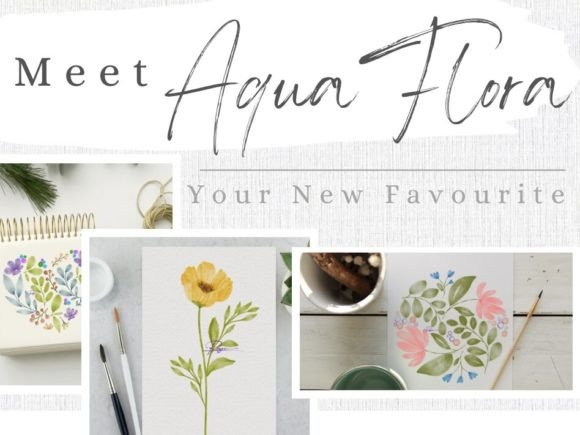
- Botanical Illustration: The fine detail brushes are perfect for rendering the veins of leaves and the delicate petals of flowers, making it a favorite among nature enthusiasts and educators.
- Landscape Design: Architects and landscape designers can use the wash brushes to create mood boards and concept sketches that convey atmosphere and lighting effectively.
- Commercial Art & Marketing: Small business owners and marketers can create unique, hand-painted assets for packaging, advertisements, and branding that stand out in a digital-first world.
- Educational Content: Teachers and bloggers can produce engaging visual aids that demonstrate color mixing and artistic techniques without requiring students to buy physical supplies.
- Journaling & Lifestyle: Hobbyists can enhance their digital bullet journals or travel logs with artistic flair, capturing memories with a painterly touch.
Whether you are a freelancer building a portfolio or an entrepreneur launching a new product line, the ability to quickly generate high-quality, textured artwork is a significant competitive advantage. The AquaFlora set empowers creators to maintain a consistent, recognizable style while exploring new subjects.
Mastering Your Workflow: Essential Tips
To get the most out of the AquaFlora Procreate Brush Set, understanding how the brushes react to different inputs is crucial. Here are practical observations and tips to help you refine your technique:
- Brush Size Affects Pattern Scale: One of the most important mechanics to understand is that the bigger the brush size, the bigger the pattern effect will be. If you are using a texture-heavy brush for a large sky wash, increase the size significantly to ensure the grain looks like distant atmospheric texture rather than a close-up mesh. Conversely, reduce the size for intricate details to keep the texture subtle.
- Color Value Dictates Mood: The colors of the brushes will differ depending on the color saturation and value. For example, dark brown will give you a moody, gloomy, or dull-ish effect, perfect for stormy skies or shadowed areas. In contrast, choosing a bright orange will give you a bright and playful result, ideal for sunsets or vibrant floral accents. Experiment with low-saturation colors to mimic the look of aged paper or faded vintage prints.
- Background Interaction: The light background color can significantly influence how your pigments appear. Because watercolor is translucent, the white of the digital canvas acts as the paper. However, if you place a subtle grey or cream background layer beneath your painting, the entire mood shifts, creating a warmer or more sophisticated tone. Always consider your base layer before starting your first stroke.
Experimentation and Layering
Don't be afraid to layer different brushes from the set. Start with a loose, wet-on-wet wash using the larger texture brushes to establish your values. Once that layer dries (or you switch to a non-blending mode), use the finer detail brushes to add definition. This mimics the traditional process of working from general to specific. The dynamic nature of the AquaFlora brushes ensures that each layer interacts naturally with the one below it, preserving the illusion of wet paint drying on paper.
Who Should Consider This Tool?
The AquaFlora Procreate Brush Set is particularly well-suited for adults aged 20–50 who are looking to expand their creative toolkit. It appeals to casual users who want to doodle during breaks, as well as serious creators aiming for gallery-quality results. Entrepreneurs and small business owners will appreciate the speed at which they can produce custom visuals, while educators can leverage the realistic effects to teach art history or technique more effectively.
If you have ever felt limited by standard digital brushes that lack character, this set addresses that frustration directly. It removes the barrier between your imagination and the final output, allowing you to focus on the art itself. By integrating these tools into your workflow, you gain the ability to capture the spontaneous joy of watercolor painting without the mess, cost, or drying time associated with traditional mediums.
Ultimately, the AquaFlora Procreate Brush Set is more than just a file download; it is a gateway to a richer, more expressive digital art practice. Whether you are rendering a single flower or a sprawling cityscape, these brushes provide the foundation for work that feels alive, textured, and deeply human.