Illustrator Art Brush: A Practical Evaluation
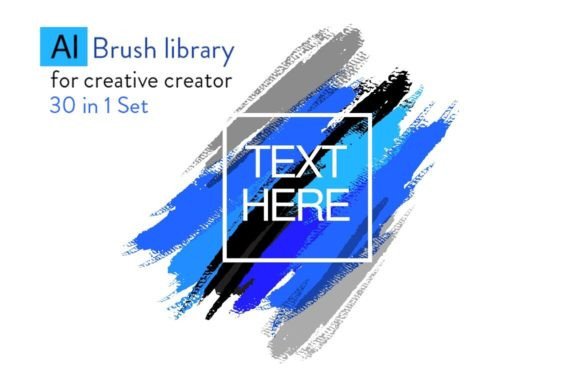
For digital artists and graphic designers, the efficiency of their workflow often hinges on the tools available within their software. Adobe Illustrator provides a robust set of features, among which the Art Brush stands out as a versatile instrument for transforming simple vector paths into complex illustrations. While native brushes offer basic functionality, many professionals turn to specialized libraries to expand their creative capabilities. This article evaluates the utility of an Illustrator Art Brush Library, specifically examining its features, compatibility, and suitability for various design projects.
Understanding the Illustrator Art Brush
An Illustrator Art Brush is a specific type of brush that stretches a single artwork object along the path of a stroke. Unlike pattern brushes, which tile a design, or calligraphic brushes, which simulate pen strokes, art brushes take the entire selected artwork and scale it proportionally to fit the length of the line drawn. This makes them ideal for creating organic elements such as vines, flames, hand-drawn lines, or decorative borders without needing to manually redraw shapes repeatedly.
The primary function of an art brush is to convert static vector paths into dynamic, textured elements. When a user applies an art brush to a path, the original shape of the path remains editable, while the visual texture is applied dynamically. This non-destructive approach allows designers to adjust the curvature, length, or anchor points of a line after applying the brush effect, ensuring flexibility throughout the design process.
Why Consider an External Brush Library?
While Adobe Illustrator comes with a default set of brushes, they often lack the specific stylistic nuance required for professional branding or detailed illustration work. An external Illustrator Art Brush Library addresses this gap by offering curated collections of pre-made designs. These libraries are particularly useful for designers who need to maintain a consistent aesthetic across multiple projects or those who wish to speed up the creation of intricate details.
A library containing diverse brush styles can significantly reduce production time. Instead of spending hours constructing a complex floral border or a stylized typography element from scratch, a designer can select a pre-configured brush and apply it instantly. This efficiency is especially valuable in environments where deadlines are tight, such as commercial advertising or rapid prototyping.
Key Features of Specialized Libraries
When evaluating a new brush collection, several factors determine its value:
- Versatility: A high-quality library includes a wide range of styles, from organic textures to geometric patterns, allowing for broad application across different design genres.
- Editability: The best brushes remain fully editable. Users should be able to change colors, resize, and modify the underlying vector data without losing quality.
- Compatibility: Software versions vary widely. A robust library supports multiple versions of Adobe Illustrator, ensuring that users on older systems (like CS6) and newer cloud-based versions (CC 2015.5 and beyond) can utilize the assets effectively.
Evaluating Specific Capabilities and Versions
One critical aspect of adopting third-party resources is version compatibility. Many modern design teams operate on mixed hardware setups, ranging from legacy machines running CS5 or CS6 to high-end workstations using the latest CC Plus iterations. A well-structured brush library accounts for these differences by providing distinct file formats tailored to specific software generations.
For instance, some libraries offer two separate versions: one formatted for the CS series and another optimized for CC and CC Plus environments. This dual-support strategy ensures that the brush files load correctly without causing crashes or rendering errors. For users relying on older software, the formatted CS version guarantees stability, while CC users benefit from enhanced features available in newer builds.
Furthermore, ease of installation is a significant consideration. A library that includes clear documentation, such as a help file or video tutorial, lowers the barrier to entry for beginners. Video guides demonstrating how to load and apply brushes can be invaluable for those unfamiliar with the Brushes panel in Illustrator. By watching a step-by-step demonstration, users can quickly learn to select a path, choose a brush from the library, and transform a simple line into a sophisticated design element.
Benefits and Tradeoffs
Integrating a specialized Illustrator Art Brush Library offers distinct advantages but also presents certain tradeoffs that decision-makers should consider.
Advantages
- Workflow Acceleration: Pre-made brushes eliminate the need for repetitive manual drawing, allowing designers to focus on composition and layout.
- Consistency: Using a unified library ensures that all elements within a project share a cohesive style, which is crucial for brand identity.
- Accessibility: With support for both English versions and multiple software releases, these tools are accessible to a global audience with varying technical setups.
Considerations and Limitations
- Customization Limits: While editable, pre-made brushes may not perfectly match a unique brand guideline without significant modification.
- File Management: Adding numerous brushes to the workspace can clutter the interface if not organized properly.
- Version Dependency: Even with dual-version support, users must ensure they download the correct file for their specific Illustrator version to avoid compatibility issues.
When Is an Art Brush Library the Right Choice?
An Illustrator Art Brush Library is an excellent fit for several scenarios:
- Decorative Design: Projects requiring ornate borders, frames, or background textures benefit immensely from the variety found in these libraries.
- Choreography and Motion Graphics: Designers working on motion graphics or storyboard layouts can use these brushes to quickly visualize movement paths and dynamic lines.
- Prototyping: During the early stages of design, speed is essential. Brushes allow for rapid iteration of concepts before committing to final vector construction.
- Education and Learning: Students and hobbyists can study how complex shapes are constructed by deconstructing the brush files, serving as an educational tool.
When to Consider Alternatives
Despite their utility, art brushes are not a universal solution. In situations where absolute precision and unique geometry are paramount, creating custom vector shapes may be superior. If a project requires a highly specific logo mark or a proprietary icon that cannot be derived from a stretched path, relying on an art brush might result in unwanted distortion.
Additionally, for raster-based workflows or projects intended for print media with extremely high-resolution requirements, designers might prefer building elements directly rather than scaling a brush asset, which could introduce minor artifacts depending on the complexity of the source artwork. In cases where the design team has the capacity to build a custom asset library from scratch, investing time in creating original brushes may yield better long-term results for brand exclusivity.
Practical Decision-Making Insights
Before integrating a new resource like the Illustrator Art Brush Library, evaluate your current workflow needs. Ask yourself if the time saved by using pre-made assets outweighs the effort required to customize them for your specific project. Check your software version against the library's supported list—ensuring you have access to the correct format for CS6, CC2015.5, or other versions is vital for a smooth experience.
Finally, take advantage of included learning materials. Utilizing video tutorials and help files can maximize the return on investment by ensuring the team knows exactly how to load, apply, and modify the brushes efficiently. By balancing the convenience of pre-made assets with the need for creative control, designers can leverage these tools to enhance productivity without compromising quality.